ixo 2.8: new pattern editor, lasso, thread color calibration
Today we're shipping ixo 2.8, the biggest update to the cross stitch pattern editor since 2.0. The editor has a new interface: the frame, the toolbar, the icons, and the main windows. The remaining windows and the pages outside the editor will move to the new look in the next versions. 2.8 also brings tools that save time on routine work: selecting a motif of any shape, outlining it in backstitch, checking a shade run, comparing the chart to the original.
Versions 2.6 and 2.7 went out without their own announcement, so everything is here at once. In 2.8:
- The interface is lighter and simpler: related tools are grouped together, and the background image has its own menu.
- Selection gets lasso and magic wand next to the rectangle, and anything selected can be outlined in backstitch in one click.
- Color on screen matches the skein: per-color floss calibration for your monitor, a "Shade runs" palette sort, and a helper that finds the color in between.
- The source and PDFs stay close at hand: the chart and the original side by side, large PDFs recognized in the background.
- The stash now takes beads: Preciosa and Toho.
The editor also has a sample pattern now, the "Berlin wreath" from about 1860. It opens from the editor's empty screen or from this link, and it's a good place to try everything below.
Interface
The new interface is built around the chart. The header, panels, and status bar are light and quiet, the icons are redrawn, and all the color on screen belongs to the stitching. It's an easy place to spend a long evening.
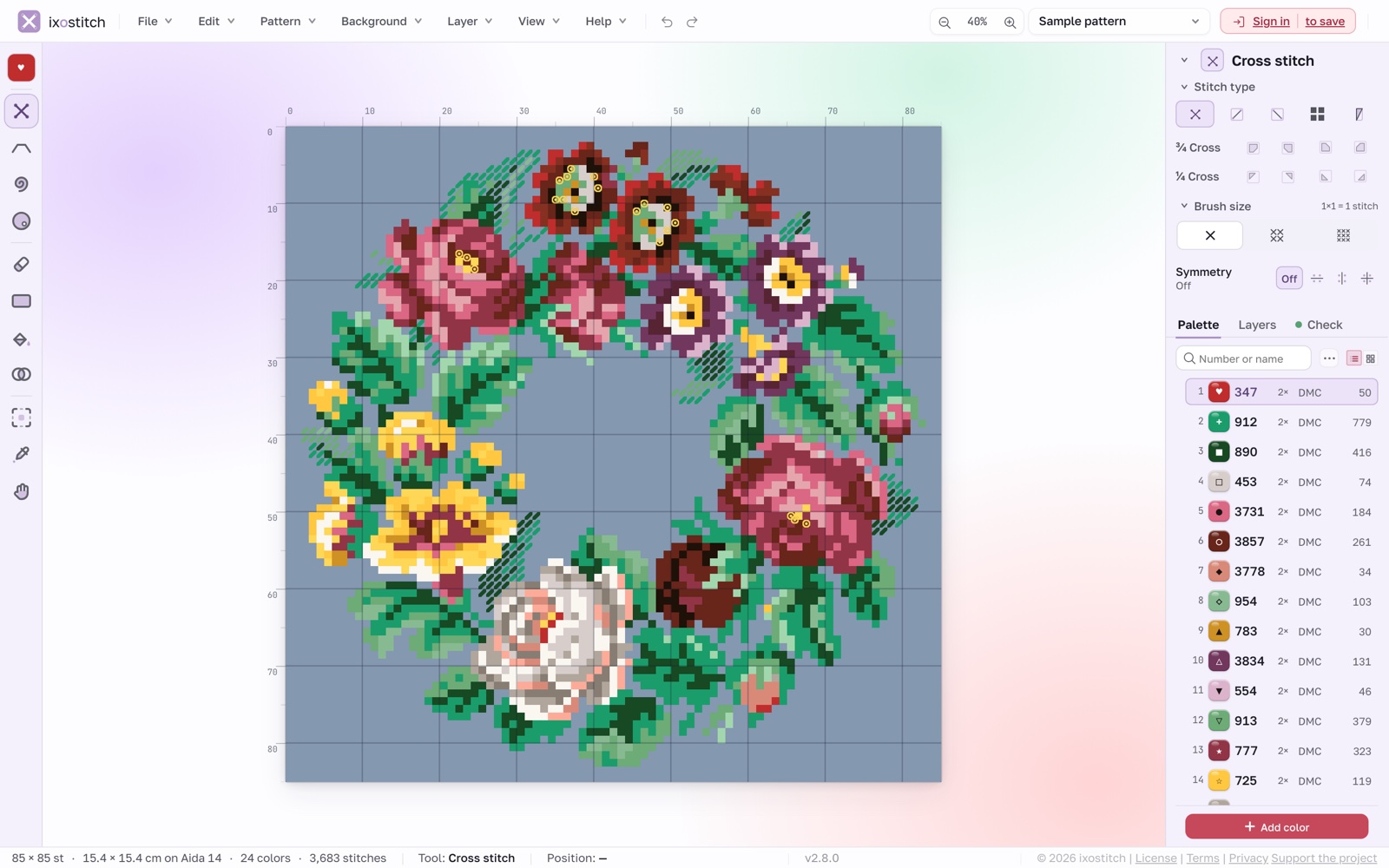
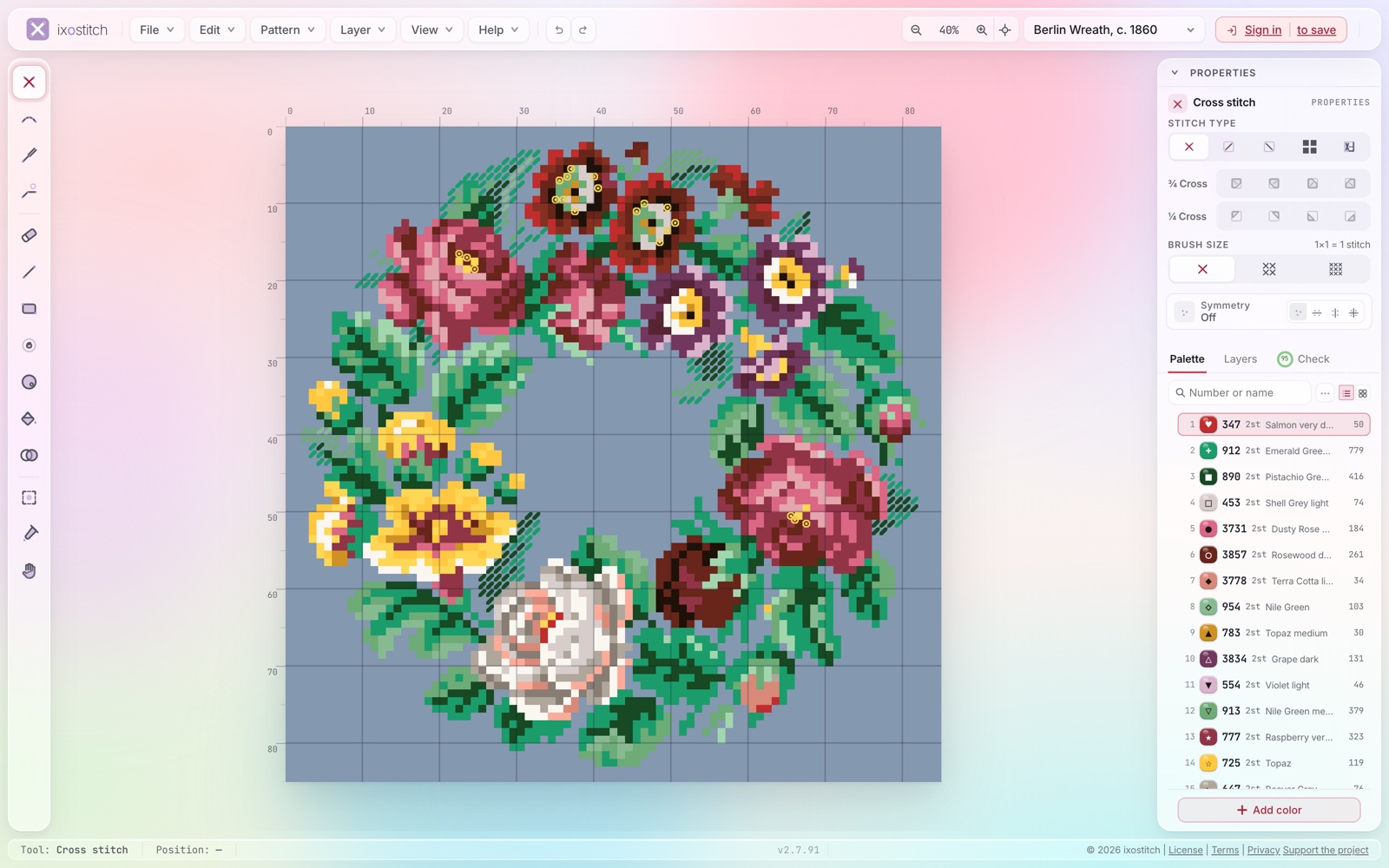
Tools are grouped. Backstitch width and recolor now live inside Backstitch; line and rectangle live in Shapes. Keyboard shortcuts haven't changed.
The background has its own menu. Everything about the background image is in the Background menu.
Windows look alike. New pattern, Export, the thread color picker, and the other main windows share one layout: title on the left, one primary button, cursor already in the first field.
The status bar speaks stitching. Size in stitches and in centimeters on the chosen fabric, plus the number of colors and stitches.
Selection and backstitch
A flower, a leaf, a curl: motifs in a chart are almost never rectangular. Before 2.8 you selected them with a box and then cleaned up the extras.
Lasso and magic wand
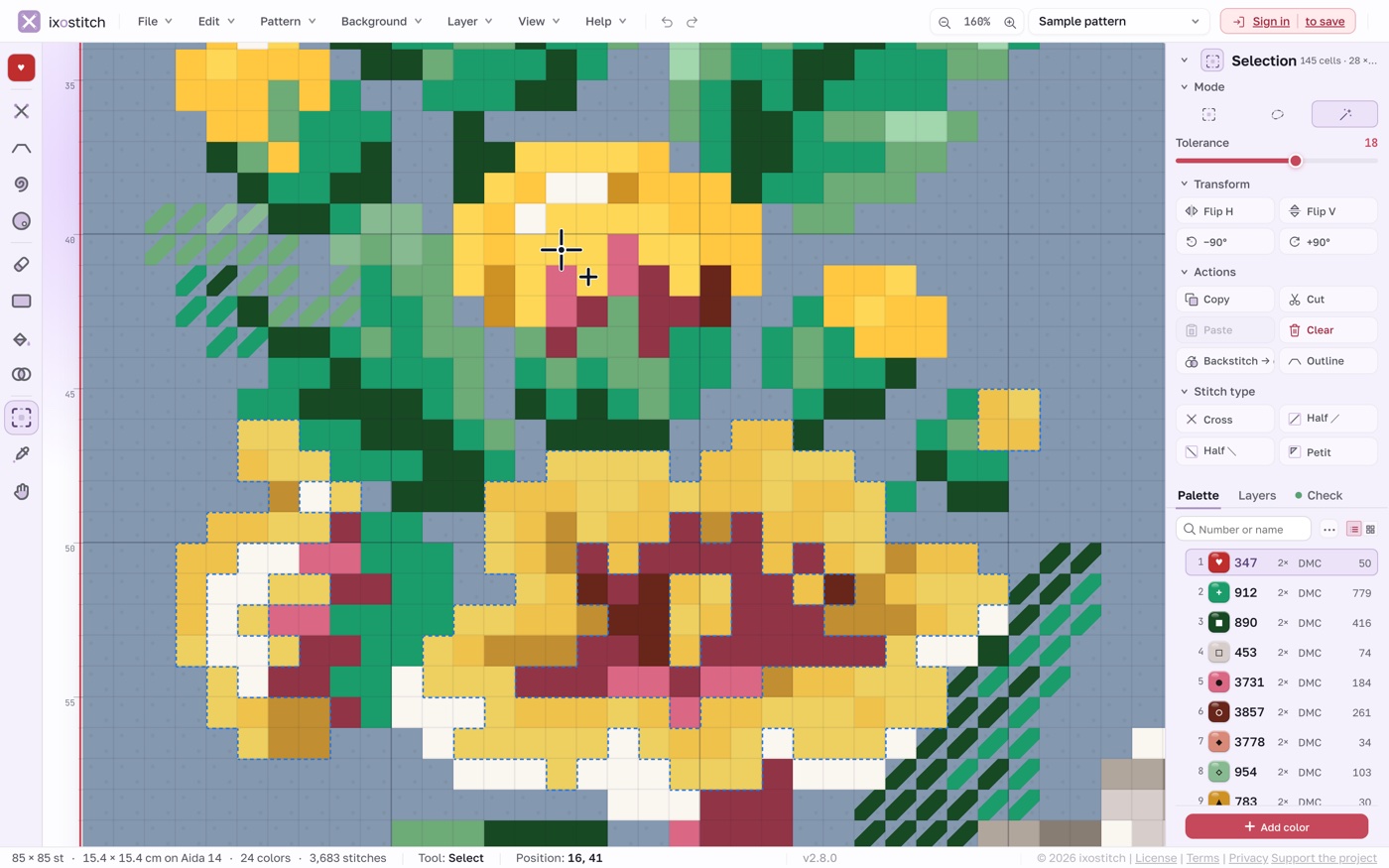
The Selection tool (S) now has three modes. Lasso does both in one tool: drag to trace freehand, or click to place the corners of straight edges. Magic wand selects a whole patch of one color. It only counts cells that share a side as neighbors, so a leaf won't drag the next leaf of the same green along through a corner. If a patch is painted in several close shades, the Tolerance slider (0 to 30) gathers them together.
Selections combine in all three modes:
- Shift: add to the selection;
- Alt (Option on Mac): subtract;
- Shift + Alt: keep the intersection.
Outline
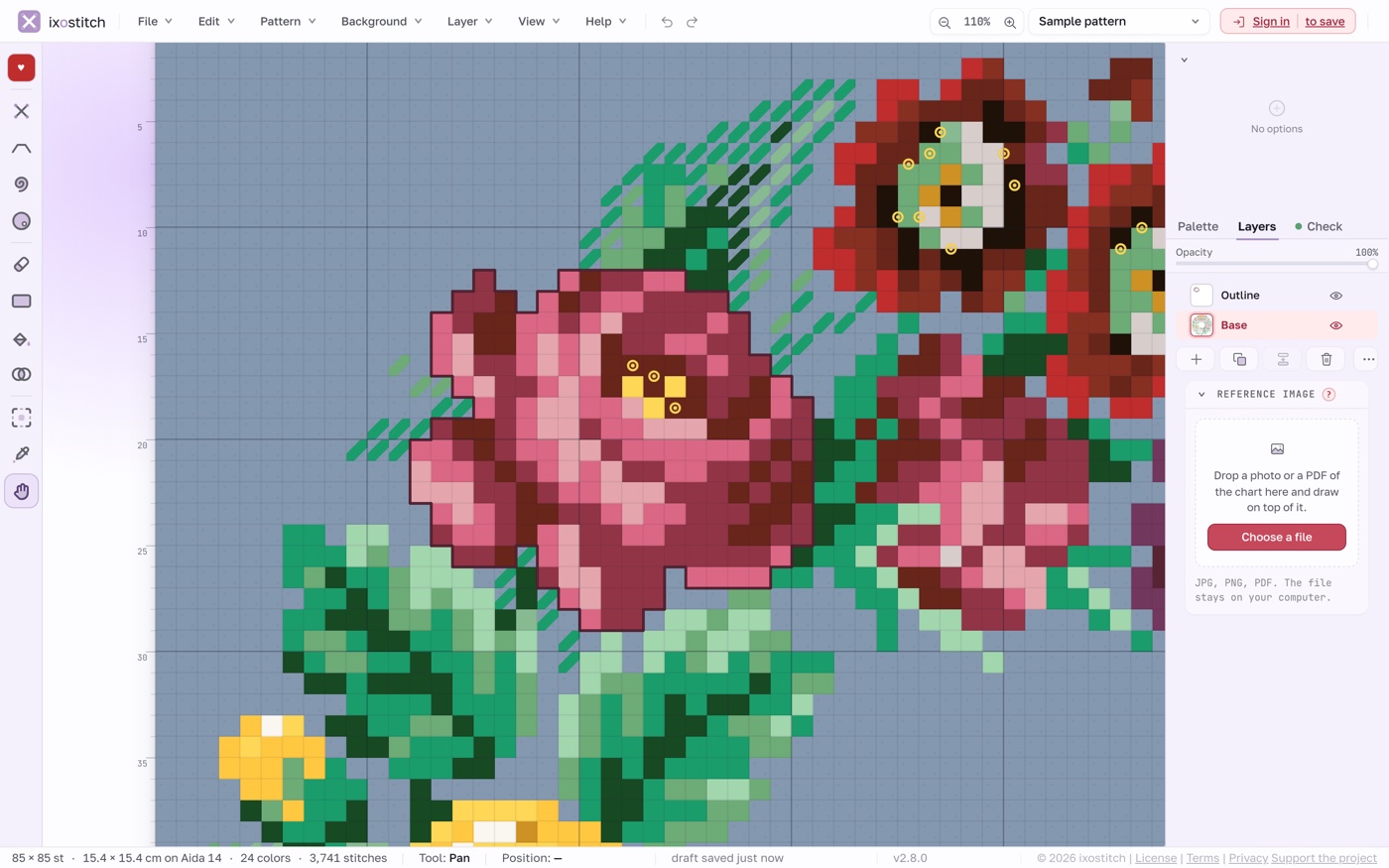
Outlining a finished motif in backstitch is slow handwork: stitch after stitch along the cell edges. The Outline button in the selection properties does it in one step. The floss is picked two shades darker than the fill, from the same brand; if it isn't in the palette yet, ixo adds it. The outline follows the outer edge with stitches no longer than four cells. It goes onto its own Outline layer, so you can hide it or remove it with one Ctrl + Z.
Stitch type and gap-free strokes
A selected area can now be switched to another stitch (cross, half stitch in either direction, or petit) with its colors kept. For example, background leaves can go to half stitch: they turn lighter and step back.
Fast lines no longer break up. If you moved the brush or eraser quickly, the line could come out dotted because the editor couldn't keep up with the mouse. Now the skipped cells are filled in, and the line comes out solid.
Color
The color on screen and the color of the skein in your hand almost never match. In 2.8 we worked on it from two sides: tuning how floss shows on a particular monitor, and helping you build smooth transitions out of it.
Floss on your screen
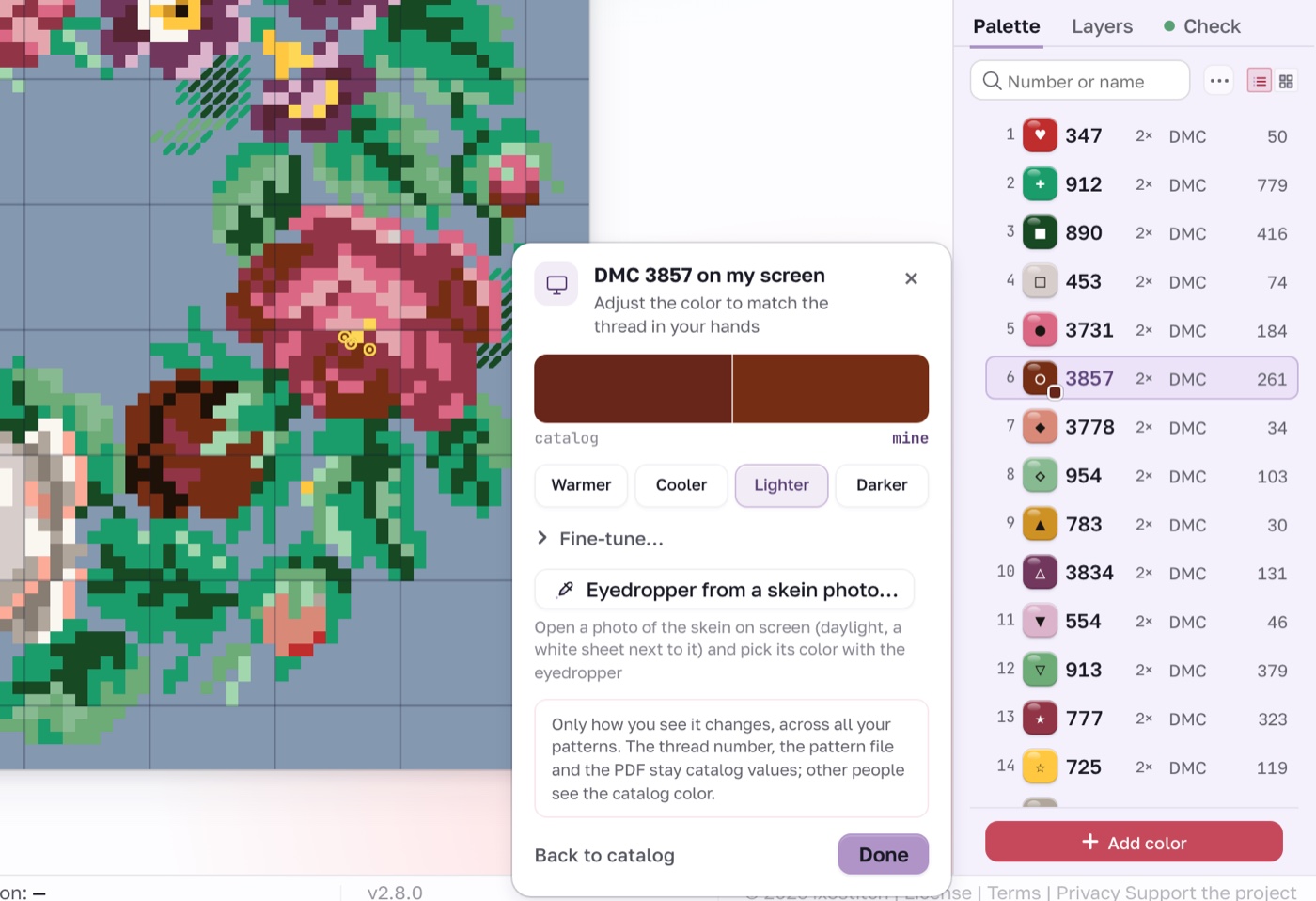
Monitors show color differently, and catalog values were measured under different light, so DMC 3354 on screen and in your hand can be two different pinks. Now you can adjust how any floss color is shown. Right-click its row in the palette and choose "How I see it on my screen…": Warmer, Cooler, Lighter, Darker, or an eyedropper over a photo of the skein.
The adjustment is remembered for that color and applies in every pattern: on the canvas, in the palette, in the photo-to-pattern preview. It never goes into the file, PNG, or PDF; there the floss keeps its catalog color, so whoever you send the pattern to sees it as usual. Calibrated colors carry a corner with the original color, and the full list lives in File → Settings → Thread colors on my screen….
Shade runs
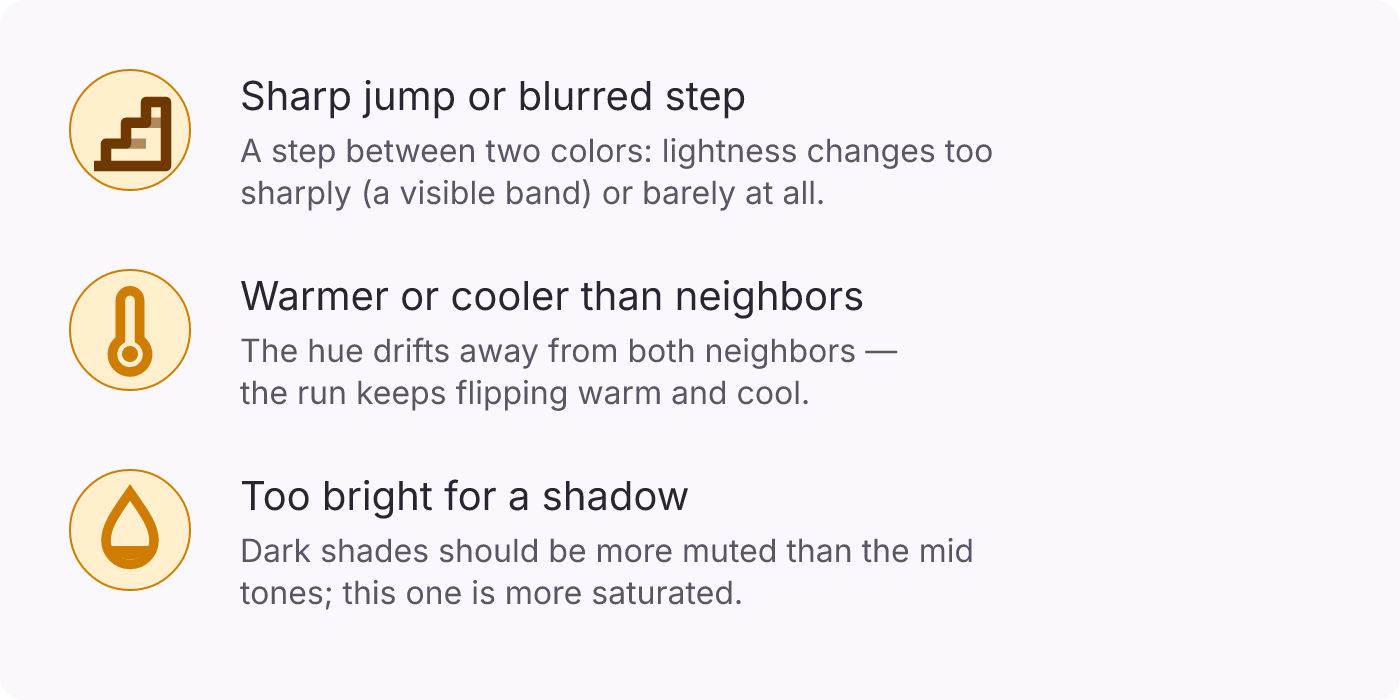
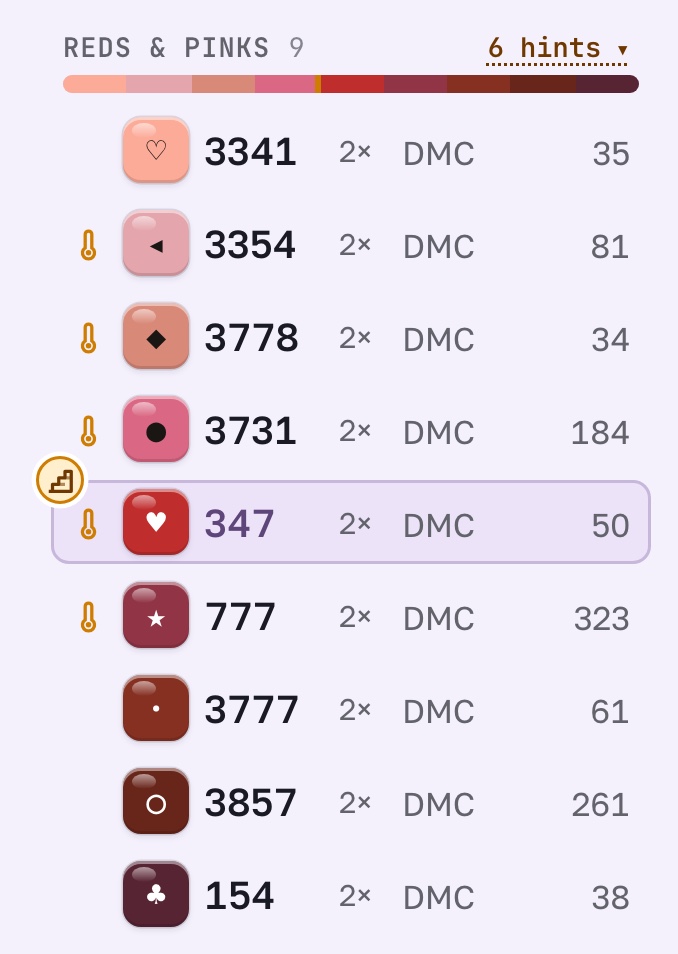
A soft transition in stitching depends on a shade run: shades of one family going from light to dark. The new "Shade runs" palette sort groups a pattern's colors by family and shows where a run goes off: a jump in lightness, a shade warmer or cooler than its neighbors, a color too bright for a shadow. What each mark means:
If a run is missing a step, "Color between…" in the thread menu finds a floss of the same brand halfway between the two you pick. When the pair is close in lightness, it also suggests a blend, one strand of each.
To check the whole pattern at once there's View → Grayscale: tone check. The pattern turns gray at the same lightness as the floss: if the design falls apart without color, the problem is tone, not hue. It's a screen-only mode; exports stay in color.
Source and PDFs
Source side by side
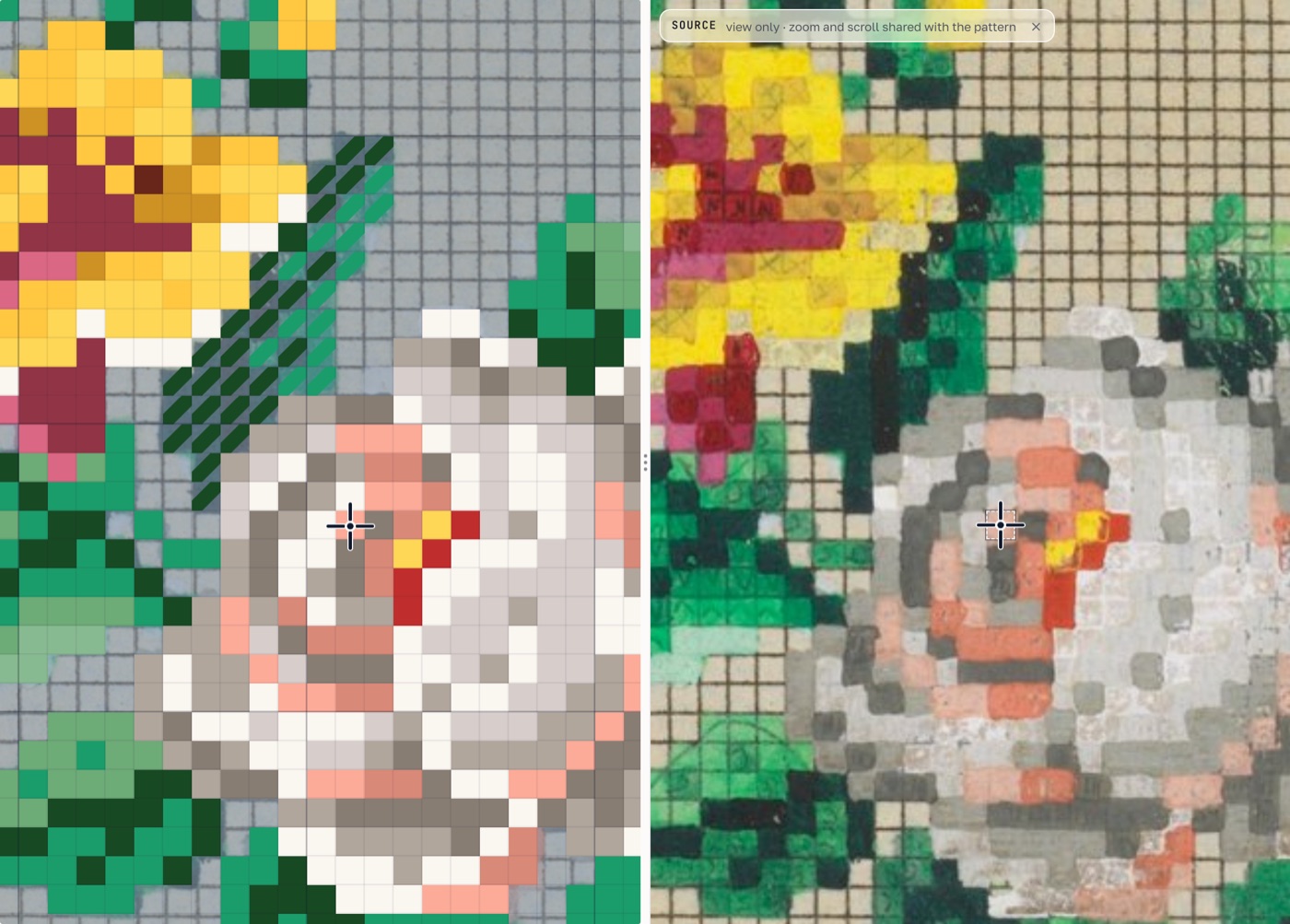
A pattern made from a photo or a painting gets checked against the original all the time, and until now that meant switching windows. View → Source side by side splits the workspace: the pattern on the left, the background image on the right. They share zoom and scrolling. The cell under the cursor is repeated on the source with a dashed frame, so you can see which part of the original it matches. The eyedropper in the color window picks a shade straight from the source. Any background works, including a photo or a PDF page.
Large PDFs in the background
Recognizing a pattern from a PDF now runs as a background job on the server. You can minimize the window and keep working: a pill with a timer stays in the header, and when the pattern is done it turns into "Chart is ready — open". The pill survives closing the window and reloading the page. Patterns of a hundred pages or more, which used to time out, now finish.
Limit: the PDF file can be up to 20 MB.
Printed PDF
The key in the printed PDF is now laid out the way pattern books do it: single colors first, blends at the end, the strand count for backstitch, and half stitch marked "½". In the black-and-white version, French knots of different colors get different symbols and their own section of the key.
Stash
Beads get used up just like floss, but until now there was nowhere to track them. The inventory has a new Beads tab with full catalogs: Preciosa 10/0 seed beads (1,406 colors with names), Toho 11/0 (755), Toho 15/0 (228), and Mill Hill. Stock marks (have / low / out) and the wishlist work the same way as for floss, and Toho is available in the editor palette too.
For floss, we added an in-store mode: type a code on your phone and see in big letters whether that skein is at home or not. And marking a wish as Bought moves the floss straight into your stash.
We'll keep adding to the catalogs.
How to try it
Everything above is live and free. The stash and PDF recognition need an account; saving a recognized pattern takes Pro or a one-off purchase.
- Open the Berlin wreath and follow this post on the same pattern.
- Make a pattern from a photo: with calibrated floss colors, the preview matches your skeins.
- Recognize a pattern from a PDF: large files go to the background.
- Add beads to your stash.
What is still missing in the editor? Write to hello@ixostitch.com. It shapes what goes into the next version.
Open the editor and create your first chart
No install, no signup. Drag a PDF in or start fresh — you’re creating in under a minute.
Open ixo editor