ixo 2.0: a cross stitch WIP planner, floss stash, and PDF-to-chart
Count the places your stitching currently lives. A charting tool. Pattern Keeper or Cross Stitch Saga for stitching off a screen. Some app or spreadsheet for the floss. A note on your phone listing what's actually in the frame right now. Instagram for the finishes.
Five things, none of which know the others exist. The chart doesn't know which threads you own. The stash doesn't know what you're stitching. The WIP list doesn't know how far along anything is unless you tell it twice.
Until now ixo sat squarely in the first box and drew charts. In 2.0 it covers the rest: a WIP planner, a stash inventory, charts pulled out of a photo or an old PDF — and, alongside them, the first paid plan.
The short version of what's new in ixo 2.0. A cross stitch WIP planner tracks every project you have going at once and picks what to stitch tonight. A stash inventory holds your floss, fabric, and bought charts, searchable by colour code and filterable by brand, with a wishlist kept separate. Any cross stitch pattern can now come out of a digital PDF or straight from a photo, converted to DMC floss in your browser. The editor, the inventory, and the planner up to ten active WIPs stay free; Pro is $5.99 a month or $49 a year.
The planner: keeping every cross stitch WIP moving to its last stitch
To be clear about what this is, because the words are close: Pattern Keeper marks off stitches inside one chart. The ixo planner works one level up — across all your WIPs, deciding what gets your evening and keeping the record of what you did. It doesn't overlay a grid, and it doesn't want to be the thing you look at while you stitch.
Putting a piece down is not failing at it. To-do apps don't understand stitching. There, an untouched task is a red badge and an overdue date. In the ixo planner, a piece you're not drawn to right now is just waiting for the mood to come back: park a WIP in one tap, bring it back in one tap. Nobody is chasing you.
The planner takes anything you're stitching or only planning to. It doesn't have to be an ixo chart — a kit, a magazine page from 2003, a chart you drew yourself, all fine.
Logging progress takes one movement: enter the exact stitch count for today, or just mark that you stitched at all.
What to stitch tonight. Once you have a real pile, picking is its own chore, and it eats the evening you meant to spend stitching. The "Stitching today" card puts up exactly one piece from your active list — and you set the rule it picks by:
- Rotation — your WIPs take turns.
- Finish line — whatever's closest to done.
- Random — luck of the draw.
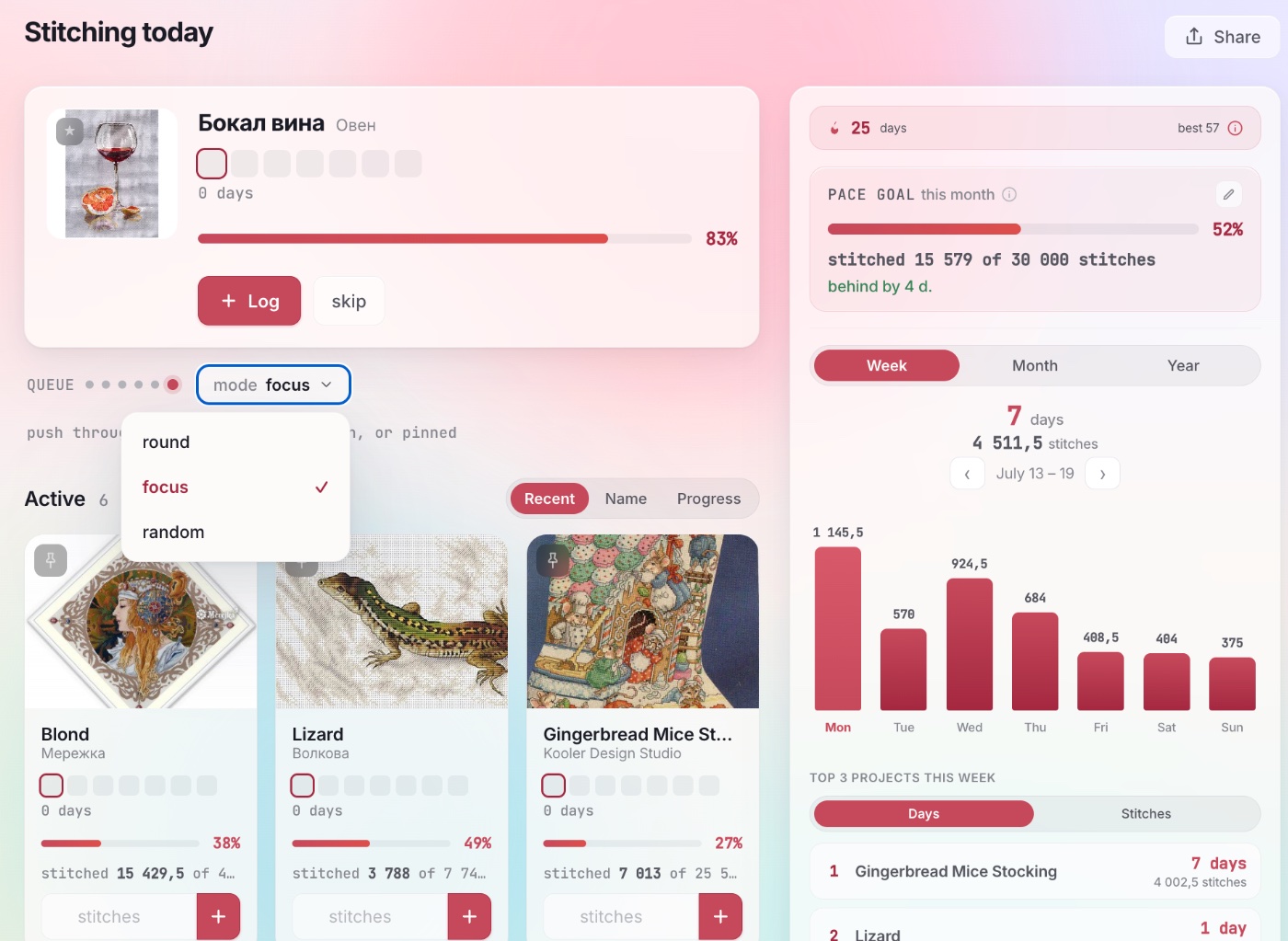
And a record of your stitching year builds itself. A calendar of the days you stitched, a count of days in a row, your real pace, and a projected finish date for every piece — worked out from what you actually did, not what you meant to do.
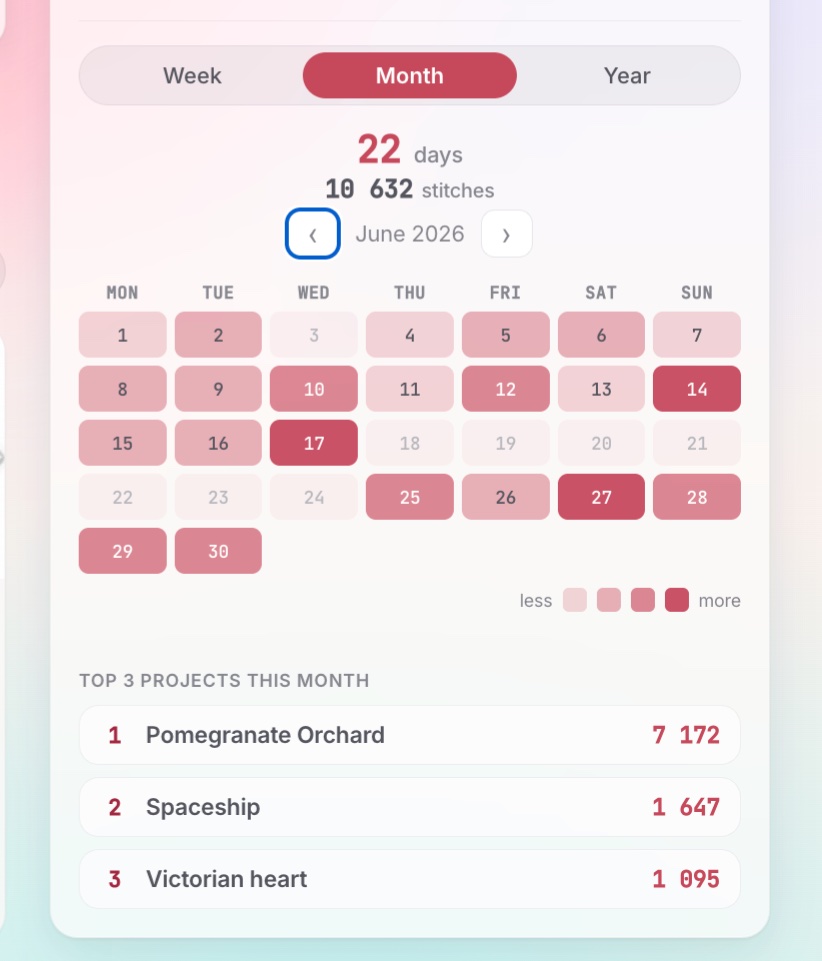
Add progress photos as you go and pick a cover — and when a piece is done, it moves into your gallery of finishes.
The inventory: your floss stash, where you can actually see it
So you don't come home with a fourth skein of DMC 310. You're standing in front of the wall of floss and you cannot remember: do you already own it, or did you only ever mean to buy it? Now you check your phone. The inventory opens on any device, with search by colour code and a filter by brand — so the bin under the bed finally stops being a mystery. Still deciding on shades? There's a separate walkthrough of the DMC palette.
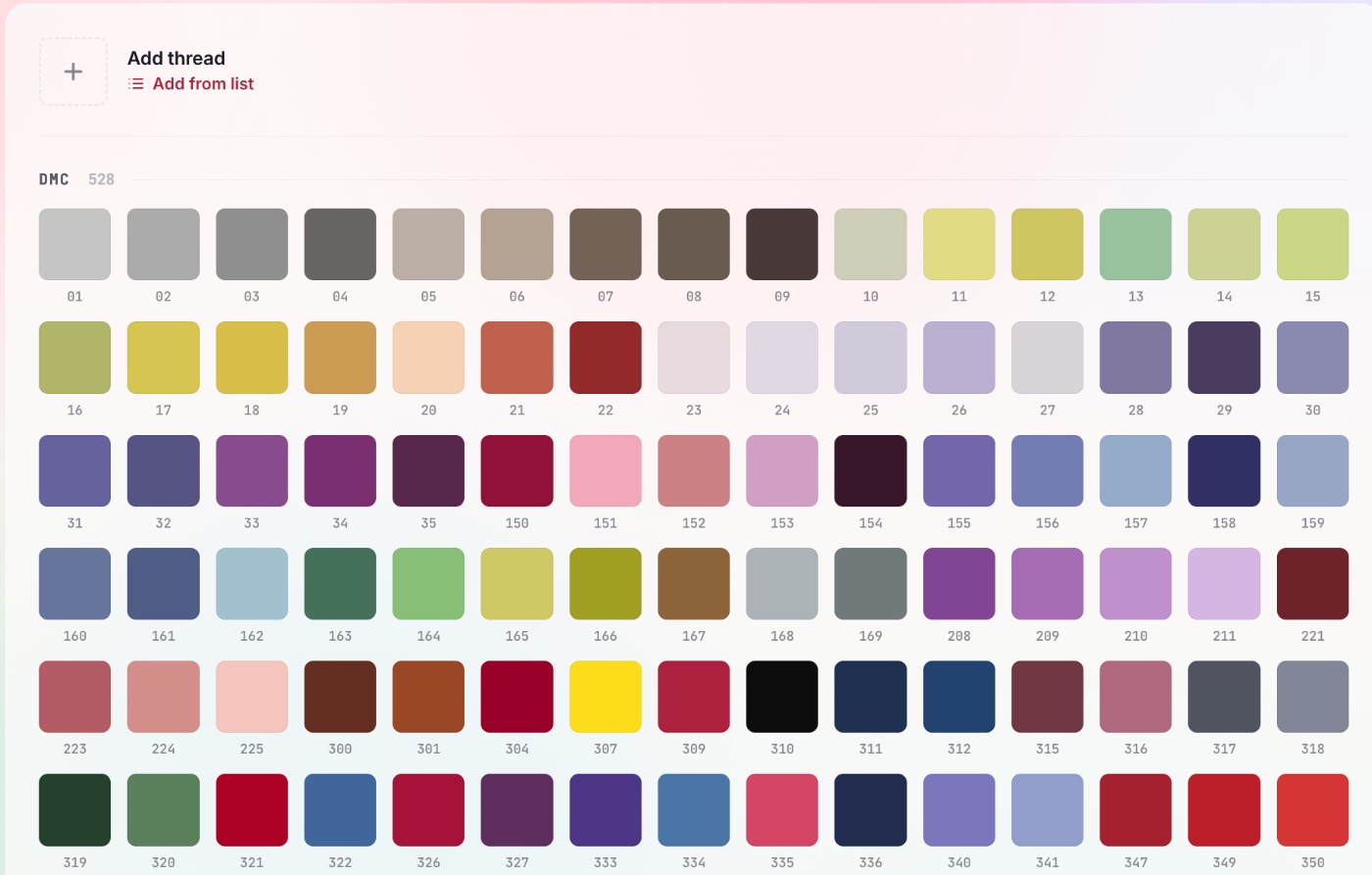
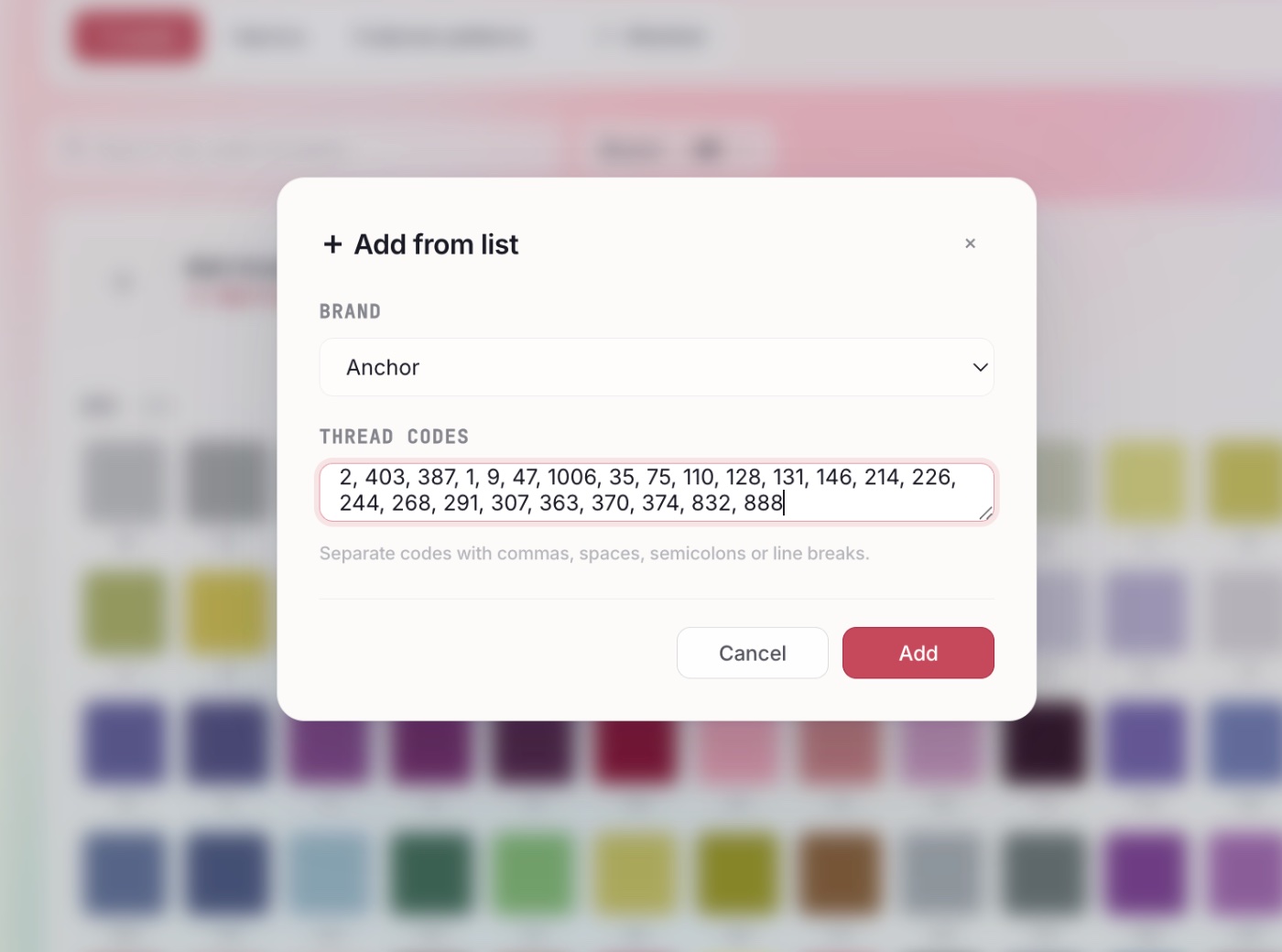
- Adding is fast. Enter floss as a list of codes, or pull in a brand's whole catalogue at once.
- A wishlist. Kept separate from the stash, so at the shop you buy what a project actually needs instead of whatever catches your eye.
- Wired to the planner. Any chart sitting in your inventory — a kit, a PDF, a paper chart — becomes an active WIP with one tap on "Start stitching".
Four tabs — floss, fabric, external charts, and wishlist:
| Tab | What it holds |
|---|---|
| Floss | A skein by brand and colour code, with how many you have. |
| Fabric | Aida, evenweave, linen: type, count, size, photo. |
| External charts | Paper and PDF charts by other designers: title, designer, cover, status. |
| Wishlist | Everything you want, split into floss, fabric, and charts. |
Charted here, stitched where you already stitch
Making a chart is one job; stitching from it is another, and for most of us that second job now happens on a tablet. ixo doesn't try to take that over — it hands off.
Among the PDF export presets there's one that produces a chart a screen-stitching app can read: symbols go out as real embedded-font text, which is precisely what Pattern Keeper and Cross Stitch Saga need to read a chart at all. So something you designed here — from a photo, or square by square — opens in the app you already stitch in, no conversion dance. The preset is free on every plan.
The rest of the export menu is less exciting and more useful: print presets with grid, legend, and page tiling for people who'd rather stitch from paper, and OXS out, because a chart you made should be yours to take somewhere else.
A cross stitch pattern from a photo, or out of an old PDF
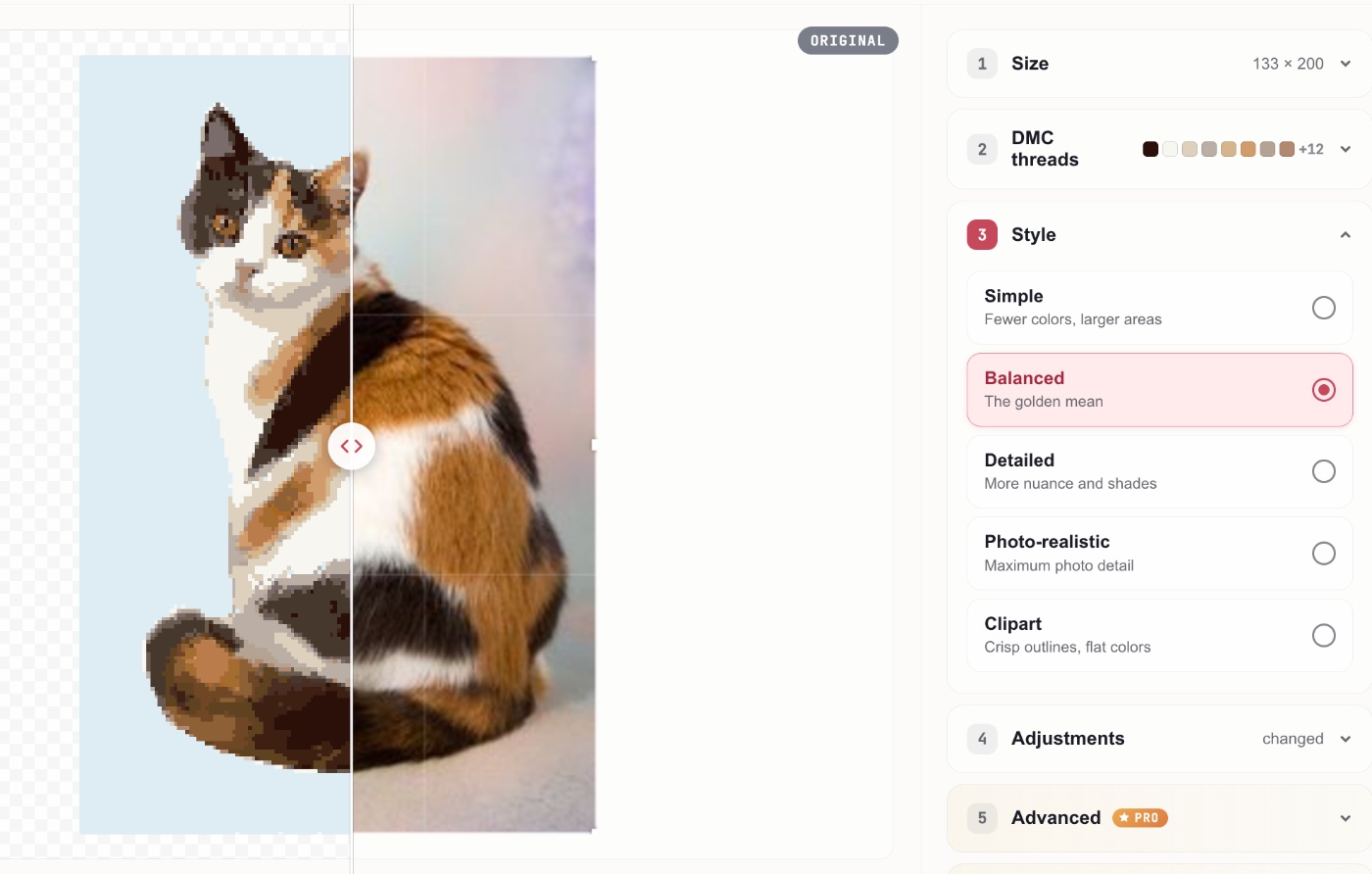
Photo → chart. A photo or a favourite picture, converted into a cross stitch pattern in DMC floss colours. All of it runs in your browser — the image is never uploaded anywhere. What actually drives the quality — chart size, palette count, source contrast — is broken down in the photo-to-pattern guide.
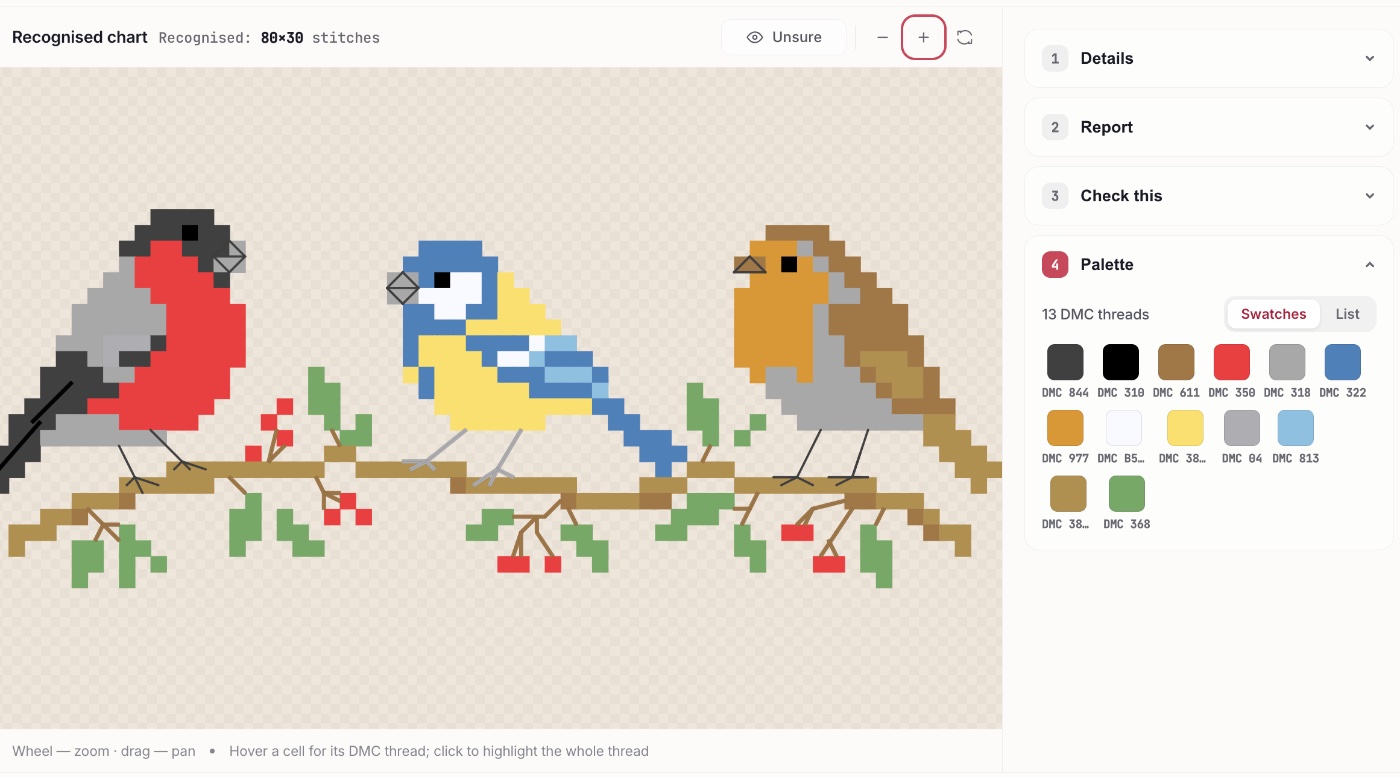
PDF → chart. Charts you own don't have to stay frozen. A magazine page from the nineties, a chart you drew yourself years ago, the paper chart that came in a kit — ixo reads the grid, symbols, and colours and rebuilds it as an editable chart file.
Editable is the point. Not a scan you squint at, but a chart you can recolour to the floss actually in your stash, resize, swap symbols on, and fix where the original was ambiguous. Digital PDFs work; scans and phone photos of pages don't. The feature is marked Beta, and that's an honest label: quality is still climbing and the engine keeps getting updates. If you'd rather trace a PDF by hand as a background layer, that's covered separately.
One thing worth saying plainly: this is for charts that are yours — bought, drawn, or inherited on paper. Designers in this craft are mostly one person with a scanner and a shop, and a chart is how they eat; a chart you didn't pay for isn't one to bring here. We don't publish, share, or index anything you recognise — results stay in your own account. We keep your uploaded file only if you tick the box offering it to us for improving recognition, and even then it's stripped of metadata and deleted after 90 days.
Looking is free — recognise your chart and open it in the editor to see how it came out. Keeping the file is the paid part: Pro covers up to 20 charts a month, or you can buy a single one outright for $2.99 with no subscription.
What's free, and what Pro adds
The free tier isn't a demo. You get the whole editor — every stitch type, symbol, and palette, on a canvas up to 500×500 — an inventory with no limits at all, and the whole planner, with no cap on how many WIPs you keep active.
Pro is for people whose stitching isn't a couple of evenings' hobby. One plan covers everything ixo does — the editor and its recognition engine, the planner, the inventory — with no packs and nothing to buy on top:
- no watermark on PNG and PDF exports — print it properly, or hand the chart to another stitcher;
- print layout you control — cell size on the sheet, margins, grid weight and colour, cover page;
- 50 cloud slots instead of three — your library, not your last three charts;
- advanced photo → pattern controls — tuning sliders, region masks and server-side background removal, instead of taking whatever came out;
- the right to keep a recognised chart — walking away with the file, not just the look at it.
$5.99 a month, or $49 a year. There's a buy-it-once option too — that, refunds, and cancelling are all laid out on the pricing page.
Frequently asked
What's free in ixo?
ixo is a free cross stitch pattern maker: the whole editor is free — every stitch type, symbol, and floss palette — along with an inventory with no cap on entries and the planner with up to ten active WIPs. It isn't a crippled demo; the core tool works in full. What's paid: the large canvas, watermark-free and print-ready export, 50 cloud slots, unlimited active WIPs, and keeping a chart recognised out of a PDF as a file.
Can ixo turn a PDF into a cross stitch chart?
Yes. If a chart you bought only ever arrived as a PDF and stitching off it is awkward, ixo reads the grid, symbols, and floss colours out of a digital PDF and rebuilds it as an editable chart file you can recolour, resize, and open in the app you stitch from. Scans and phone photos of pages won't work — it needs a digital PDF. The feature is marked Beta while recognition quality keeps improving. Looking at the result is free; keeping the file takes Pro (up to 20 charts a month) or a one-off $2.99 purchase.
Does ixo work with Pattern Keeper and Cross Stitch Saga?
Yes. One of the PDF export presets produces a chart both apps can read, with symbols exported as real embedded-font text — which is what Pattern Keeper and Cross Stitch Saga need to read a chart at all. So a chart you designed in ixo, from a photo or square by square, opens in the app you stitch from without any conversion step. ixo isn't a chart reader itself — it's where the chart is made, and it hands off to the app you already stitch in. That preset is free — it's there on every plan.
How much does Pro cost?
Pro is $5.99 a month or $49 a year, and there's a buy-it-once option as well. It's a single plan covering everything — no packs and no add-ons. Refunds and cancellation are laid out on the pricing page.
Do I need an ixo chart to track a WIP in the planner?
No. You can add anything you're stitching: a kit, a magazine page, a PDF you bought, a chart you drew yourself, or a piece you started years ago. Progress is logged by hand — either the exact stitch count for the day or just a mark that you stitched at all.
Is my photo uploaded anywhere when I make a chart from it?
No. Converting a photo into a cross stitch pattern runs entirely in your browser on your own device; the image is never sent to a server.
What's next
You come for the editor and stay for the planner. The part that's still missing is the third one: other stitchers. A public showcase of finishes, with profiles — so a finished piece has somewhere to live and someone to show it to. And PDF recognition, which we keep teaching on new charts.
Which comes first depends on you, though. What actually gets in your way: a stash you've lost track of, WIPs you've stalled on, or charts locked in a PDF you can't stitch from? Write to hello@ixostitch.com — we read all of it.
Open the editor and create your first chart
No install, no signup. Drag a PDF in or start fresh — you’re creating in under a minute.
Open ixo editor